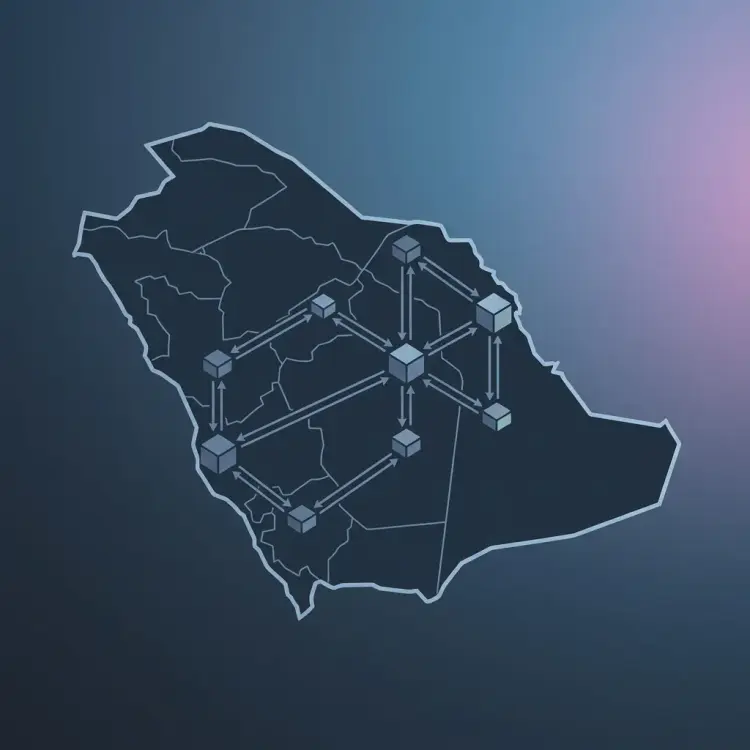


The rush to integrate artificial intelligence has introduced a serious risk: data leakage. Sending proprietary code, intellectual property, or customer records to public APIs exposes corporate data to leakage. Investing in custom, secure enterprise ai integration dubai services protects corporate IP while providing the benefits of AI automation. Read our comprehensive Cyber Security 2025: Protection Guide for zero-trust enterprise security strategies.
This guide explains the security and compliance risks of public AI APIs and shows how to deploy, optimize, and host secure, private LLMs inside your corporate VPC.
1. The Hidden Security Risks of Public LLM APIs
When you query a public LLM API, your data is processed outside your secure environment. This presents substantial risks under UAE PDPL and financial compliance rules. If data is stored or used for model retraining, it could expose sensitive business secrets to public queries. For high-volume data architectures, consult our guide on optimizing RAG pipelines for financial data.
Consider the data lifecycle of a standard public API query. The prompt—containing proprietary source code, customer records, or financial forecasts—travels across the public internet to third-party servers. Even if the provider promises not to train their models on API data, that data is still processed on shared hardware, exposing it to potential intercept risks or security breaches.
Additionally, public APIs expose your application to reliability risks, since vendor outages or API changes can disrupt your operations. Hosting your own models solves these security and reliability concerns, giving you absolute control over data processing.
2. Regulatory Alignment: Gulf PDPL Compliance for AI
The regulatory landscape in the Gulf region has evolved quickly. The UAE Personal Data Protection Law (PDPL) and Saudi Arabia's PDPL enforce strict controls on data sovereignty and user privacy. Under these laws, personal data cannot be transferred across borders without meeting strict security criteria.
Using public LLM APIs can result in compliance violations, especially if the API provider routes traffic to global nodes. By hosting models inside local regions (such as AWS Riyadh or stc Cloud), you ensure all data processing remains strictly local, simplifying compliance audits.
3. Architecting a Private LLM Deployment on Kubernetes
To run private LLMs at scale, you need a resilient orchestration layer. Kubernetes (EKS/GKE) is the standard for managing GPU workloads. By deploying open-weights models inside Kubernetes, you can scale resources dynamically based on API demand.
In this architecture, we use high-performance inference engines like vLLM to maximize throughput. vLLM utilizes PagedAttention to manage memory efficiently, reducing VRAM fragmentation and enabling faster response times. The API gateway handles authentication and routes queries to vLLM containers hosted on GPU nodes, as illustrated below:
[Incoming Client Query]
          │
          ▼
    [API Gateway] ──► [Tokenization & Guardrails Layer]
                             │
                             ▼ (Sanitized Query)
                      [vLLM Service Router]
                             │
      ┌──────────────────────┴──────────────────────┐
      ▼ (VRAM: PagedAttention)                      ▼
[EKS Node: GPU A100-1]                        [EKS Node: GPU A100-2]
  └──► Llama-3-70B (AWQ Quantized)              └──► Llama-3-70B (AWQ Quantized)
4. Kubernetes Manifest: Deploying vLLM with GPU Resources
Deploying a private model server requires configuring containers to access GPU hardware. This is managed by defining GPU resource limits within Kubernetes manifests.
Below is a production-grade Kubernetes manifest that deploys a vLLM server hosting a quantized Llama 3 model. It requests dedicated Nvidia H100 or A100 GPU resources and configures memory pools for optimal performance:
apiVersion: apps/v1
kind: Deployment
metadata:
  name: vllm-llama3-deployment
  namespace: private-ai
  labels:
    app: vllm-llama3
spec:
  replicas: 2
  selector:
    matchLabels:
      app: vllm-llama3
  template:
    metadata:
      labels:
        app: vllm-llama3
    spec:
      containers:
      - name: vllm-server
        image: vllm/vllm-openai:latest
        args:
        - "--model"
        - "casperhansen/llama-3-70b-instruct-awq"
        - "--quantization"
        - "awq"
        - "--port"
        - "8000"
        - "--max-model-len"
        - "4096"
        - "--gpu-memory-utilization"
        - "0.90"
        ports:
        - containerPort: 8000
        resources:
          limits:
            nvidia.com/gpu: "1" # Request 1 Dedicated GPU per replica
            memory: 64Gi
            cpu: "8"
          requests:
            nvidia.com/gpu: "1"
            memory: 32Gi
            cpu: "4"
        env:
        - name: HUGGING_FACE_HUB_TOKEN
          valueFrom:
            secretKeyRef:
              name: hf-secret
              key: token
5. Model Quantization: Optimizing VRAM and Hardware Costs
Hosting models on dedicated GPUs can be expensive. To minimize infrastructure costs, you must optimize model files. Model quantization reduces the precision of model weights (e.g. from FP16 to INT8 or INT4), which drastically lowers VRAM requirements.
The table below compares different quantization formats, highlighting VRAM needs, speed, and accuracy trade-offs:
| Format | Precision | VRAM Needed (70B Model) | Latency / Speed | Accuracy Retention |
|---|---|---|---|---|
| Uncompressed (FP16) | 16-bit float | ~145 GB | Baseline | 100% (Maximum) |
| GPTQ | 4-bit integer | ~43 GB | Fast (GPU optimized) | ~98.5% |
| AWQ (Activation-Aware) | 4-bit integer | ~40 GB | Very Fast (Inference optimized) | ~99.1% (High accuracy) |
| GGUF | Variable (2 to 8-bit) | Flexible (20GB - 80GB) | Moderate (Supports CPU offloading) | Proportional to bit size |
6. Enforcing Dynamic Guardrails and Input/Output Sanitization
A private model server requires robust guardrails to prevent data leakage and ensure safe responses. Standard system prompts are easily bypassed using jailbreak techniques, requiring a separate validation layer.
Deploy a dedicated moderation pipeline to validate queries before they reach the main model, and scan outputs for sensitive data like credit card numbers or PII before sending responses to users.
7. Python Blueprint: Moderation with Llama Guard
Implementing moderation requires deploying a specialized classification model. Meta's **Llama Guard** is designed for content moderation, checking queries against a defined list of safety categories.
Below is a Python function demonstrating how to use Llama Guard to validate inputs and outputs, blocking unsafe requests before they are processed by your main model:
import openai
from typing import Dict, Union

# Configure connection to private API server
client = openai.OpenAI(
    base_url="http://vllm-service.private-ai.svc.cluster.local:8000/v1",
    api_key="local-security-token-992211"
)

def moderate_and_respond(user_prompt: str) -> Dict[str, Union[str, bool]]:
    # 1. Format query for Llama Guard classification
    guard_prompt = f"[INST] Task: Trust and Safety Classification\n\nUser Query: {user_prompt} [/INST]"

    try {
        guard_response = client.completions.create(
            model="meta-llama/Llama-Guard-3-8B",
            prompt=guard_prompt,
            temperature=0.0,
            max_tokens=10
        )
        classification = guard_response.choices[0].text.strip()

        # 2. Check if query is classified as unsafe
        if "unsafe" in classification:
            return {
                "safe": False,
                "response": "Request blocked: Content violates company safety policy."
            }

        # 3. Process sanitized query with main model
        response = client.chat.completions.create(
            model="casperhansen/llama-3-70b-instruct-awq",
            messages=[
                {"role": "system", "content": "You are a secure assistant for financial operations."},
                {"role": "user", "content": user_prompt}
            ],
            temperature=0.2
        )
        return {
            "safe": True,
            "response": response.choices[0].message.content
        }

    except Exception as e:
        return {
            "safe": False,
            "response": f"System error during processing: {str(e)}"
        }
8. Conclusion: The Sovereign AI Roadmap
Sovereign AI requires shifting from public APIs to hosted architectures. Hosting open-weights models inside a secure VPC protects your IP, reduces compliance risks under Gulf PDPL, and lowers API costs at scale.
Investing in private AI infrastructure ensures your enterprise can leverage machine learning capabilities while maintaining complete data sovereignty.
At Bytevault, we help technology leaders design and implement SAMA-compliant b2b saas architecture saudi arabia solutions, enabling secure, compliant AI integrations.